AlphaTheta RMX-Ignite Review by David Michael of Passionate DJ.
Introduction
Some fourteen years after the release of the Pioneer DJ RMX-1000 Remix Station, DJs were noticing it was starting to get long-in-the-tooth.
AlphaTheta noticed, too. They’ve released the RMX-IGNITE to carry the torch as the next generation effector.
They pitched the original RMX as being much more than an FX box. This was a creative performance instrument, allowing you to bring studio-grade effects and manipulation tools to the DJ booth.
The IGNITE brings the same idea into the modern era, while staying true to the spirit of the original.
Using the RMX-IGNITE
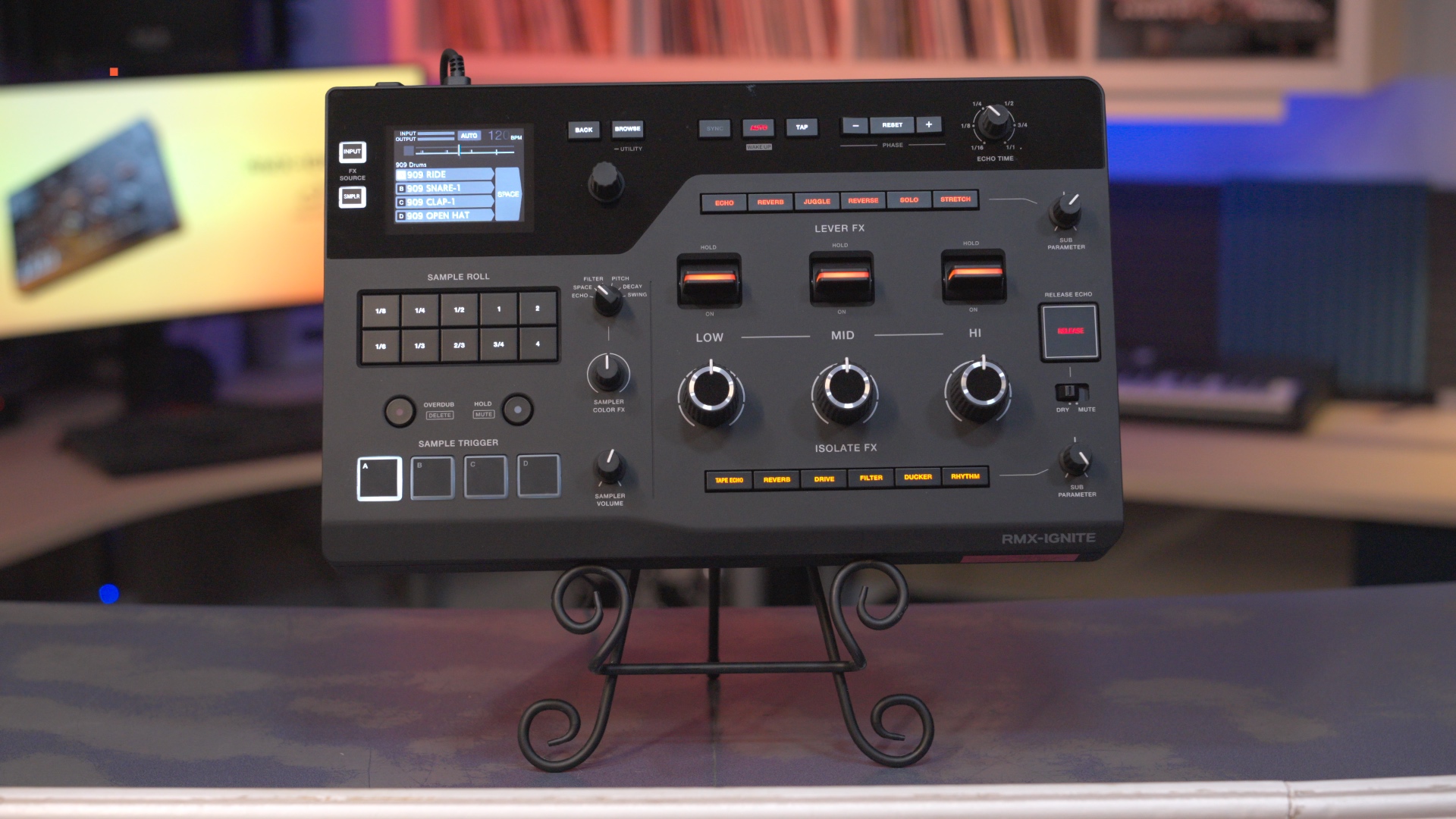
With its full metal chassis, excellent build quality and general weighty feel, this is a device clearly meant to handle the rigors of the road.
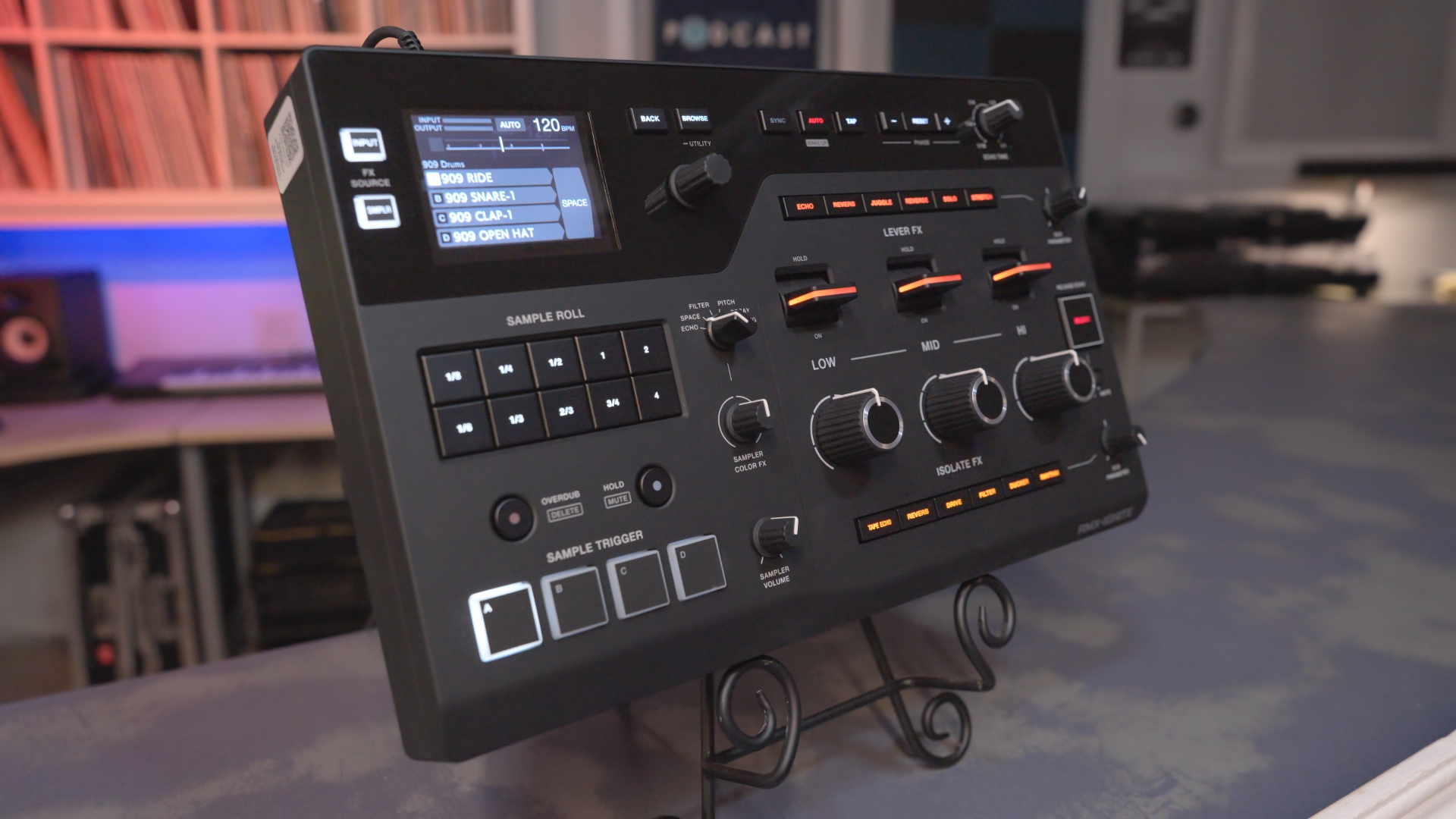
Aesthetically, the design of the RMX is very clean. It has a flat charcoal finish, with a gloss black section across the top, and orange highlights. The whole unit is easy on the eyes, including the crispy color display that you use for browsing and feedback.
The large knobs and levers are a pleasure to use, with plenty of space for creative expression without taking up too much overall room. The sampler pads are very responsive, and a bit larger than the ones found on the old RMX-1000.
Speaking of samples, they are sourced from the built-in samples, from a CDJ over network cable, or via USB thumb drive.
The RMX-IGNITE integrates easily into any DJ mixer with send/return jacks, or over a single USB-C cable (on the DJM-A9, V10, and V5). This allows you to add FX per mixer channel.
If your source doesn’t support any of this, it can still work on the Master output.
Features & Layout
3-Band FX
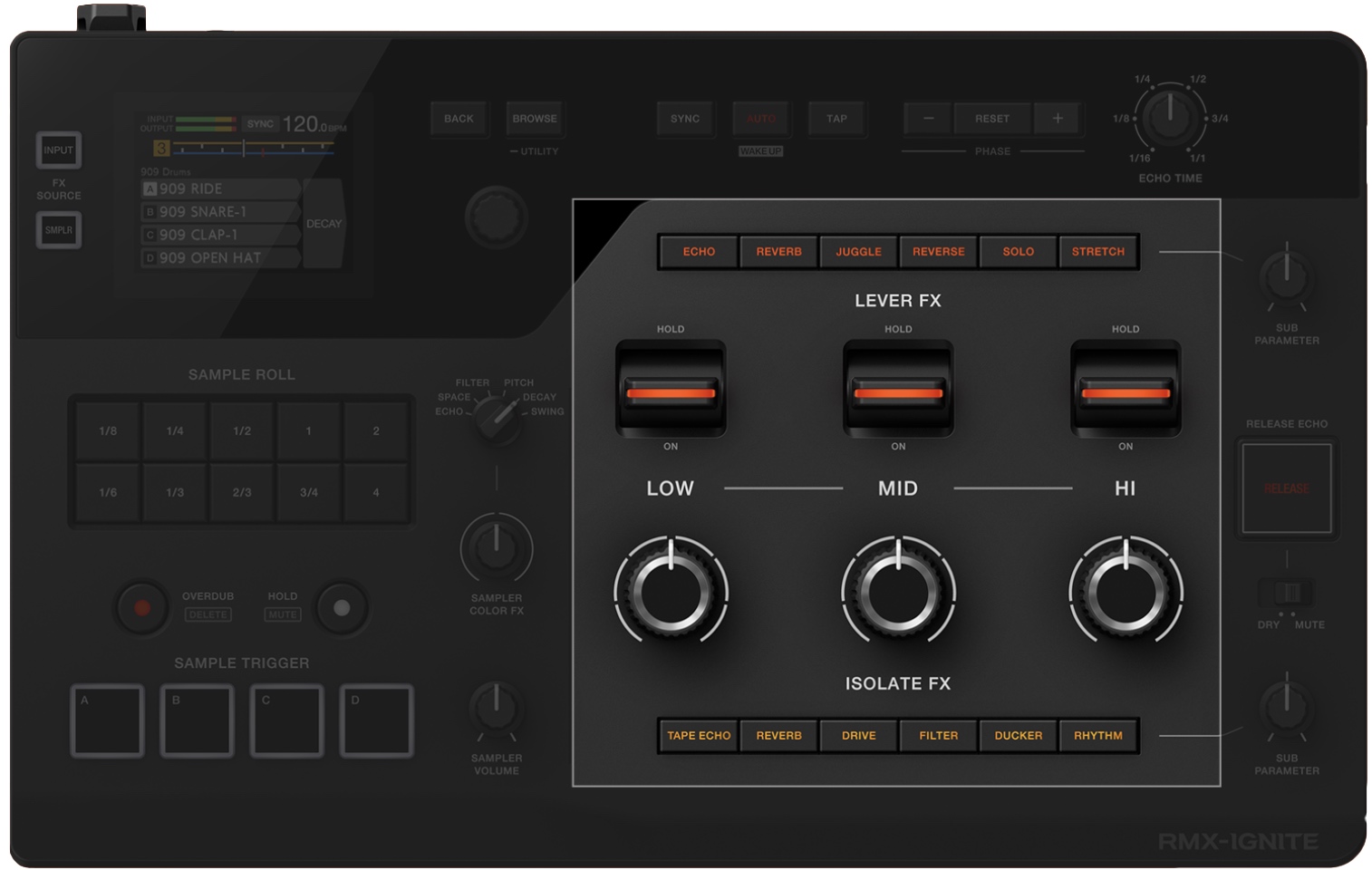
The largest section of the layout is dedicated to 3-Band FX, which are FX that can be applied to different parts of the audio spectrum (low, mid, and hi).
AlphaTheta has been doing this kind of frequency separation in their FX for a while now, and it’s an impressive showing here. Sometimes, it genuinely feels like using stems. Individual bands are separated perfectly for instruments like hi-hats and kicks.
These 3-band FX are made up of two features:
Lever FX
Echo, Reverb, Juggle, Reverse, Solo, and Stretch.
Use the three large levers to apply instant dramatic FX. This works quite like FX paddles on Pioneer DJ scratch mixers, except you apply changes individually to low, mid, and hi.
To the right of these levers is a Sub Parameter knob. This allows you to manipulate a pre-defined setting (such as the “Depth” of Solo, or the “Speed” Stretch).
These changes show up in realtime on the screen, making it easy to understand the changes you’re making.
Isolate FX
Tape Echo, Reverb, Drive, Filter, Ducker, and Rhythm.
Use the three large knobs to apply smooth dynamic FX. This works quite like the Sound Color FX found on Pioneer DJ club mixers, except you apply changes individually to low, mid, and hi.
Similar to the Lever FX section, Isolate FX has a Sub Parameter knob which allows you to change parameters of that particular effect (with changes appearing on the screen).
Combining these two FX methods together, and applying them to separate pieces of the audio spectrum, makes for tons of creative opportunity.
Listen to all of the FX mentioned in this review by watching the video above!
Sampler Section
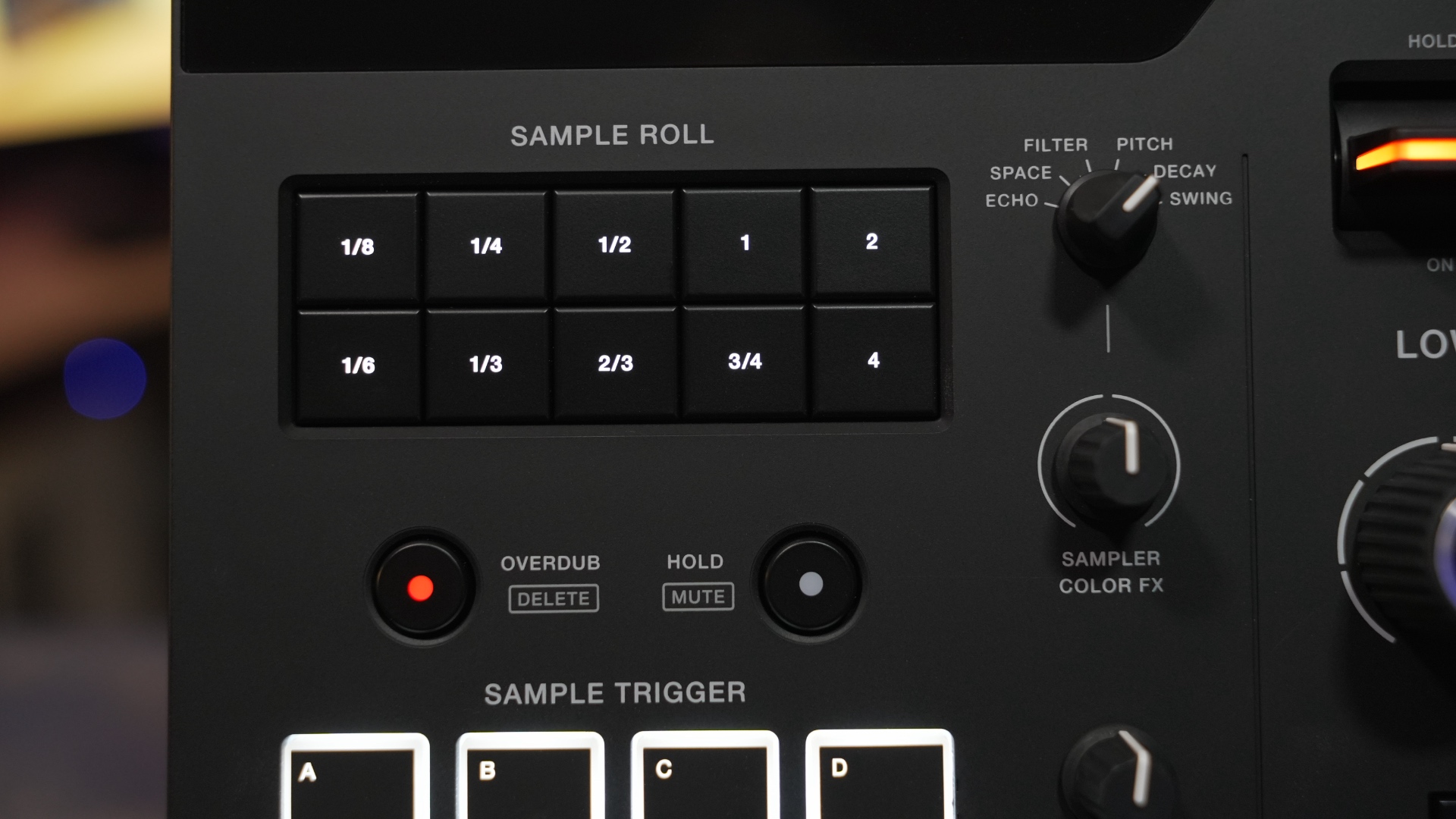
In addition to applying FX to your songs, the RMX-IGNITE can be used to add samples, either triggered as one-offs, or looped.
Samples are triggered with the pads, repeated using the Sample Roll buttons, and have FX applied to them. A simple volume control is available to help your samples sit right.
Sample Trigger Pads
The four included trigger pads feel nice, responding well to the touch. They are smaller than those you’d find on most beat pads or DJ controllers, but larger and nicer than those found on the RMX-1000.
Use these to trigger samples (either the 20 built-in ones from LoopMasters, or custom ones accessed via USB port).
The Overdub function allows you to record a 1-bar loop by layering samples on these pads, to make dynamic progressions and builds.
Sample Roll
Roll samples triggered with the pads in 10 different repeating patterns. Use this for making a typical snare roll buildup, or to record custom loops with interesting rhythms.
Hold multiple buttons at the same time, and you’ll create flowing, accented rolls via Groove Roll.
Sample Color FX
Echo, Space, Filter, Pitch, Decay, and Swing.
Using a single knob, apply these FX to the samples themselves to add another layer of depth and character.
While these can be used for adding a bit of “sparkle”, you could also use them simply to help your samples sit better within the context of your overall mix. In particular, the Decay effect allows you to chop your samples down into more subtle, minimal blips.
Release Echo
Hit the Release Echo button to instantly clear any effects (or samples) that are playing on the unit, returning smoothly to the original track with an echo tail.
There are two different modes, accessible via switch: Dry and Mute. Dry means that you will echo into the actively playing track, where Mute means you’ll echo into silence.
If things get a little crazy on the unit, you can bail yourself out using this button. All FX and samples will cease.
When left in Mute mode, you’re able to create an easy “echo out” effect, which could be useful for transitions.
I found that it will often output too much sound when left in Dry mode, causing the signal to clip. While doing this, you may want to try and filter down the lows to help avoid the problem.
Screen & Browsing
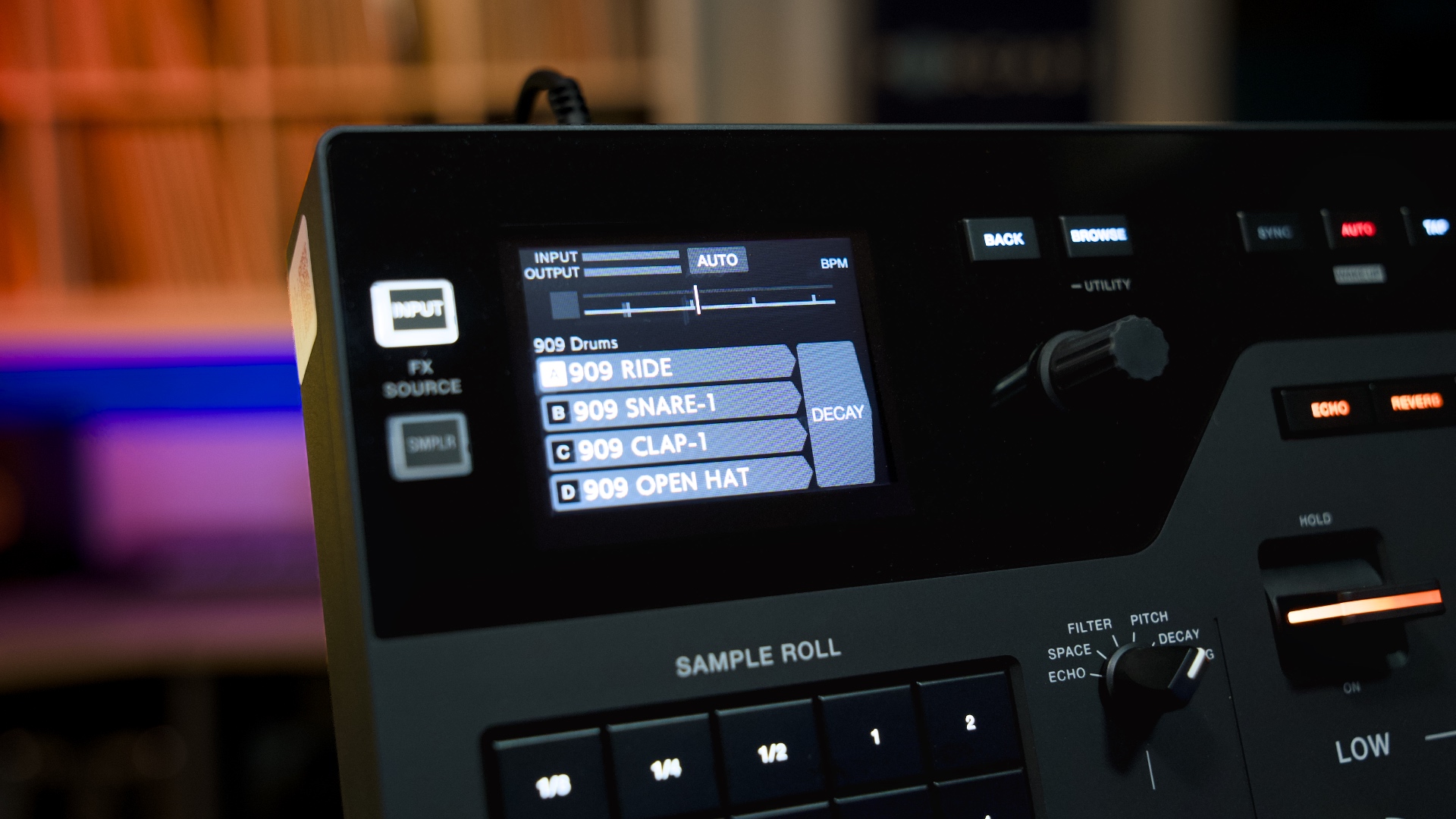
The 2.8” multicolor screen at the top-left displays the RMX-IGNITE’s playback status (such as tempo and audio meters) and settings/browsing for the Sampler section.
Use the feedback on this screen to help understand what you’re manipulating. For example, the Depth of an effect.
There are also onboard settings available, such as adjusting the output levels of the mix, or adjusting the delay sync between the unit and the mixer (so you can get the timing perfect).
The screen is responsive and easy to use, as is the UI. Browse through the options swiftly using a single-knob push encoder.
Tempo Settings (top right)
Here you’ll find settings to dial in the speed and placement of FX in your track. Adjust the tempo source (for example: auto, tap, or sync via Pro DJ Link over ethernet), or nudge it into place using the phase buttons.
The Echo Time button adjusts the delay time of the various echo effects on the unit. Increase the beat division by turning to the left.
Keeping these functions handy means that you have an easy way to fix your FX if they start to get wonky, before bailing out using the Release Echo.
Ports & Connections
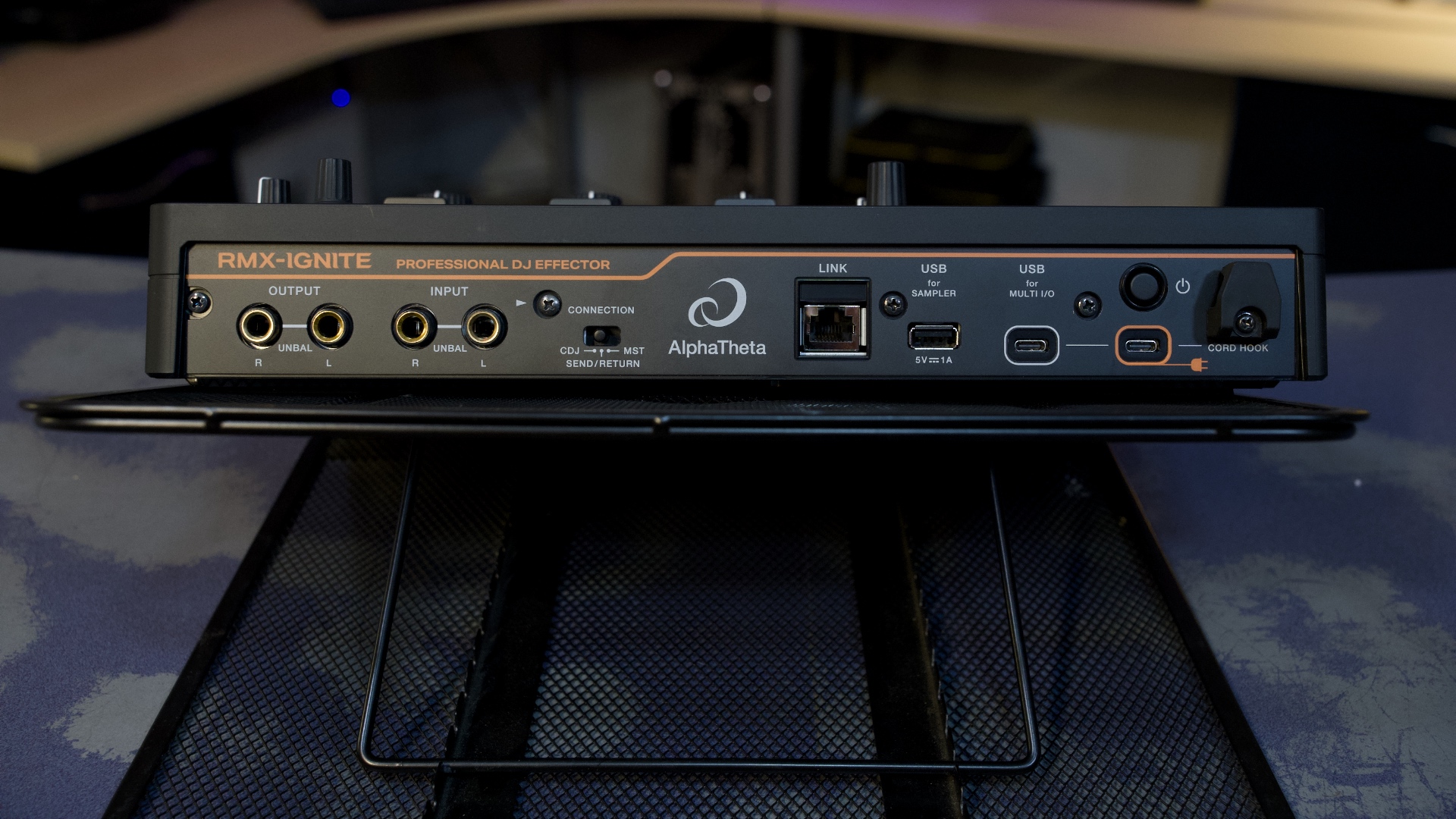
- 2x USB-C (MULTI I/O and power brick)
- USB-A (for sampler)
- Pro DJ Link (ethernet)
- Connection Switch
- TS quarter-inch input/outputs
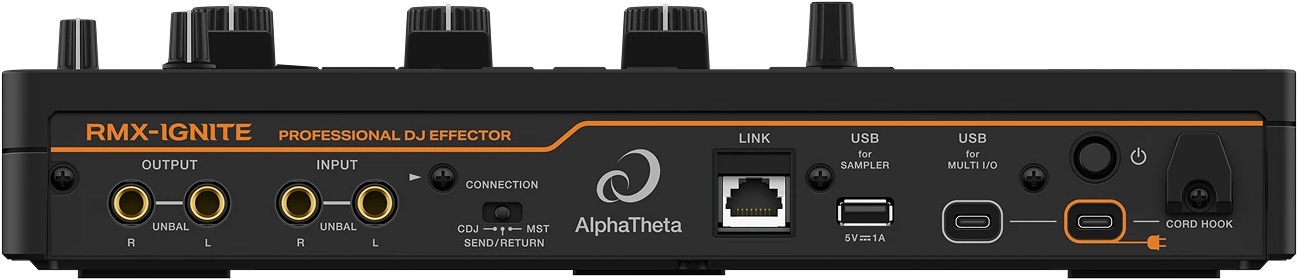
The MULTI I/O function makes setup a breeze, requiring only a single USB-C cable connected to your DJM-A9, DJM-V10, or DJM-V5 mixer. Use the second USB-C port for power delivery (via the included power brick).
A set of ¼” TS (unbalanced) inputs and outputs (for use with other mixers) is located on the left side.
A single USB-A port enables you to load your own samples for use in the Sampler. These can also be loaded over Pro DJ Link (ethernet port) from a CDJ. You’ll also get BPM and position data, which means that your sample timing and rhythm effects stay locked in.
The Connection Switch is used to set the input audio level, according to the type of equipment connected to the analog input terminals.
(For example, choose CDJ if the RMX-IGNITE is connected to a single CDJ instead of a mixer. This would be unusual. If connected to a mixer without Send/Return, switch it to MST for Master.)
Sample Manager Software
The RMX has over 20 built-in samples, organized across a few banks. You can find common and useful samples here, such as 808 and 909 kits.
Using your own samples involves the use of the RMX-IGNITE Sample Manager. The reason you want to use this software (instead of just dumping samples on your USB drive) is simple: it allows you to trim and adjust the samples to make sure they’re ready for use.
Workflow is easy: drag-and-drop samples into any of the 15 banks, adjust the gain (volume) levels, trim them up, set them as “one shots” or “loops”, and ensure they have the correct BPM value.
The sampler is designed to use rather short hits and loops. Each bank has a 16-second limit (across all samples).
When you have your banks ready, you can export them to USB. Feel free to use the same thumb drive containing your rekordbox music library. While connected with ethernet cable, use Pro DJ Link to access the samples over the network.
RMX-IGNITE vs. RMX-1000
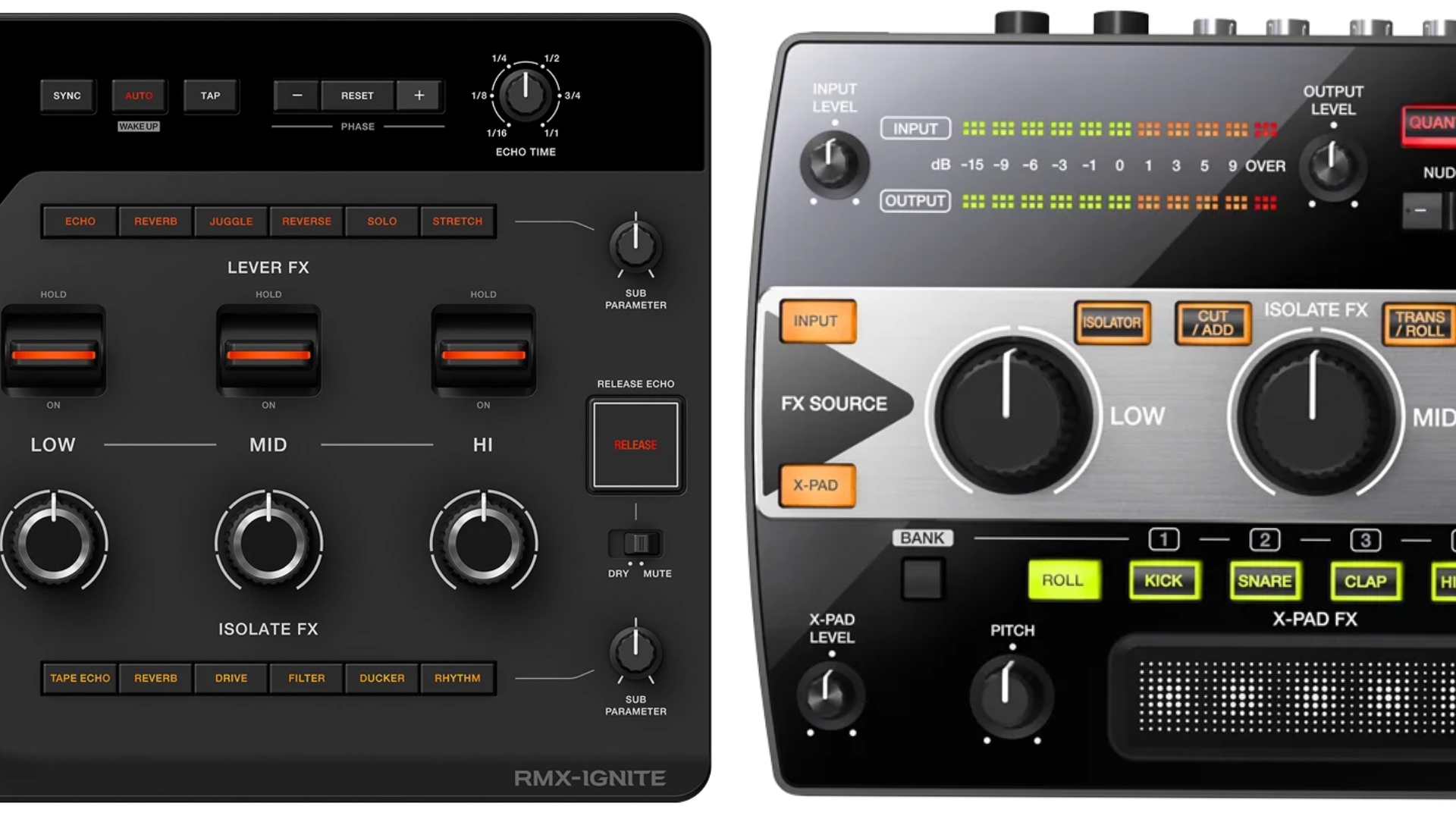
Here’s a quick rundown on the RMX-IGNITE in comparison to the RMX-1000 (released in 2012):
- Scene FX have become Lever FX, which now affect specific frequency bands instead of the full mix.
- With Isolate FX, use knobs to adjust the character or rhythm of the effect (not just volume).
- Improved Sampler Pads. They are larger and now made of rubber.
- The RMX-IGNITE includes 20 built-in samples (vs. 5)
- The RMX-IGNITE allows for USB or Pro DJ Link to access samples. The RMX-1000 required an SD card (which is now removed).
- Improved Audio Quality:
RMX-IGNITE: 96kHz/32-bit + 115dB signal-to-noise ratio
RMX-1000: 48kHz/24-bit + 102dB signal-to-noise ratio - The new Digital Send/Return is a huge plus. So far, it works on A9, V10 and V5 using Multi I/O over a single USB-C cable.
Wrapping Up
AlphaTheta discontinued the RMX-1000 a few months back, making the RMX-Ignite the official replacement FX box for touring DJs.
It will take a while for these to show up in festivals and large clubs, as DJ riders slowly adopt the RMX-IGNITE over time.
The basic premise remains the same: it’s a high-end sound manipulation device that excels in a Pioneer DJ / AlphaTheta environment. It gives you a highly advanced version of the types of FX found on their mixers.
The RMX-1000 sold for roughly $800 for most of its life (which is $1129 in today-dollars). The RMX-Ignite sells for $1299, and comes with some serious audio quality and feature upgrades.
From that perspective, the price doesn’t offend. Whether it’s worth the cost to have one at home is, of course, up to you.
Who It’s For
It caters well to house, techno, or drum-n-bass DJs. Anything that lends itself to breakdown and reconstruction.
It could also be a great addition to a mixer that doesn’t have good built-in FX (like a lot of specialty or rotary mixers).
Thus, I do appreciate the inclusion of a standard send/return loop over good old-fashioned audio cables. This is good for future-proofing (and ensuring that it’s not locked within the AlphaTheta universe).
This is a company whose FX have always stood out as class-leading when it comes to the DJ booth, and it’s impressive that it took them this long to release a follow-up product.
The RMX-IGNITE is likely to be a long-play for the company. As touring DJs slowly start to ask for them, it’s possible you might encounter one someday.
And with these chops, I wouldn’t be surprised if it takes me another decade to come around and review the next “Pioneer FX box”. The connectivity, build, and sound quality are a statement from AlphaTheta: this is your new standard.
Listen to all of the FX mentioned in this review by watching the video above!