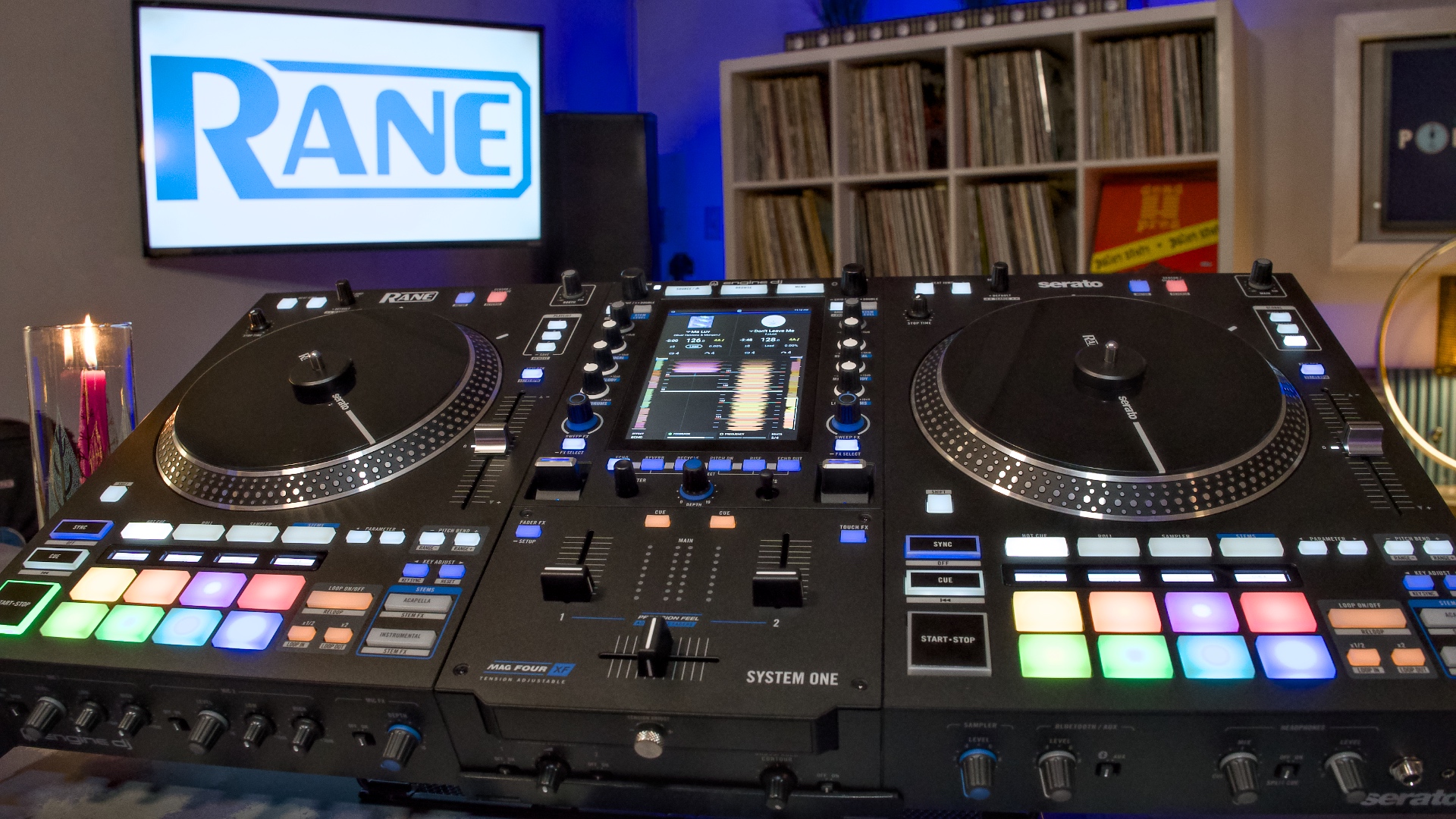
RANE System One Review by David Michael of Passionate DJ.
Introduction
The RANE System One feels like the culmination of InMusic products, put together into… well, one system.
As the umbrella brand that owns Denon DJ, Numark, RANE, Akai, and the Engine software, we’re starting to see hardware that brings the best of these sub-brands together.
The System One is an all-in-one, standalone, motorized DJ system. It lets you mix seamlessly between standalone media, music streaming, or software sources like Serato DJ and Algoriddim djay. “One System for every source, every stage, every set.”
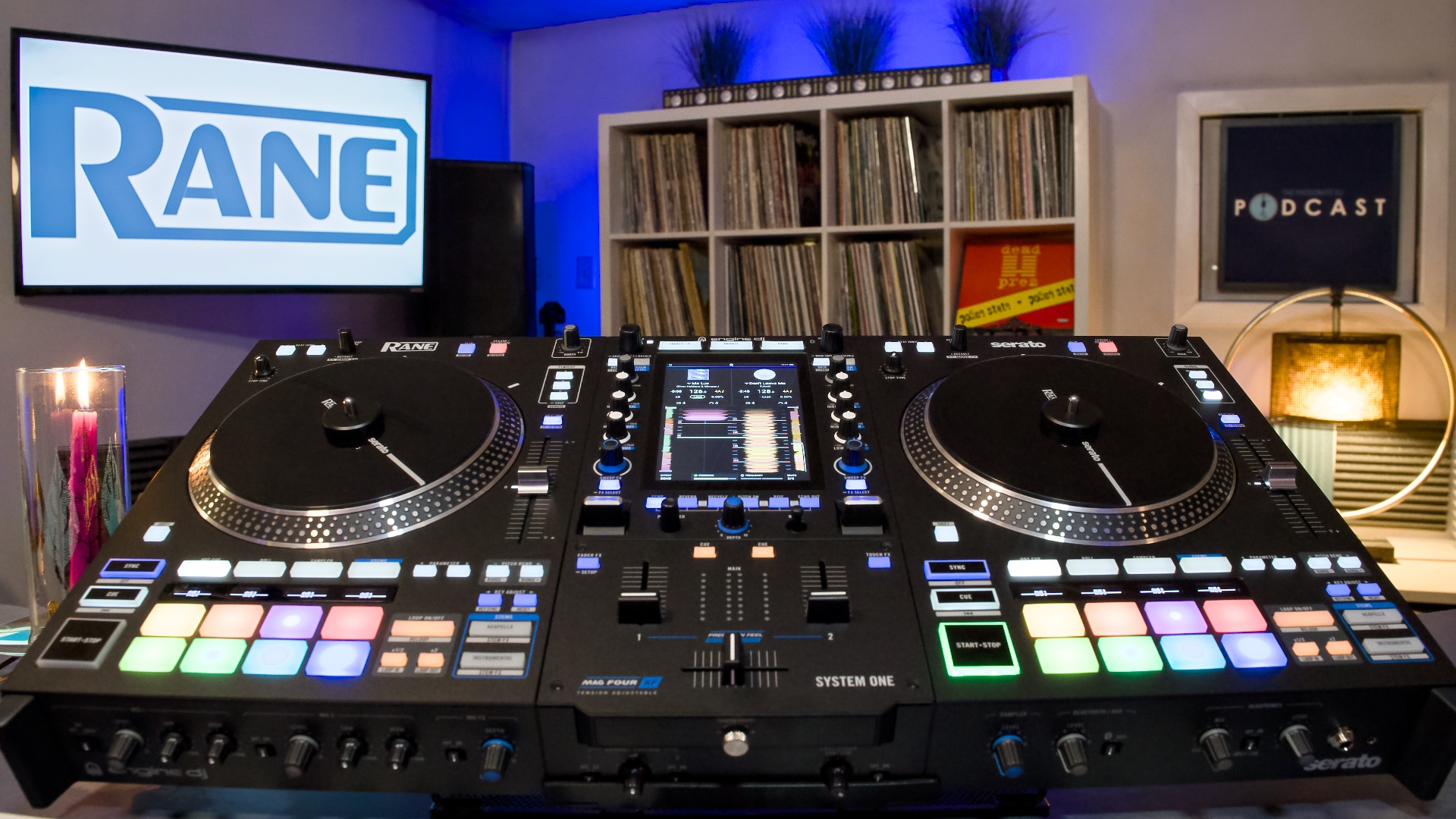
You can basically think of it as a RANE One with a high-res screen in the middle, and an onboard CPU which lets you run Engine software. It includes many of the features you’d expect from a Denon DJ standalone. Like built-in Wi-Fi and the ability to install a hard drive.
If you’re a hip-hop or open format DJ who has felt a little left-out when it comes to features, the System One might be your answer. You can have your mechanically-spinning cake, and eat it too.
Music Sources
The great thing about Engine-powered hardware is that it lets you play from just about any music source you wish:
- Local sources include USB sticks and SD cards, and you’re able to install an internal hard drive for a true all-in-one experience.
- Streaming sources include Amazon Music Unlimited, Apple Music, Beatport/Beatsource, SoundCloud Go+ and TIDAL (subscriptions required). You can also access your music via the cloud with DropBox.
- Software sources are available at launch, if you want to use the device as a DJ controller. Officially it supports Serato DJ and Algoriddim djay.
There’s also an Aux connection, which can be used with physical jacks or via Bluetooth.
OmniSource
One wonderful feature of the System One, dubbed OmniSource, means that you can simultaneously access any sources you wish without the need for a reboot. RANE says this feature is coming sometime early 2026.
Until now, this has been a limitation of Engine-based hardware. Specifically, this means you can move between laptop DJing (via Serato, etc.) and standalone/streaming. Especially helpful for multiple DJs, using different sources.
Motorized Platters
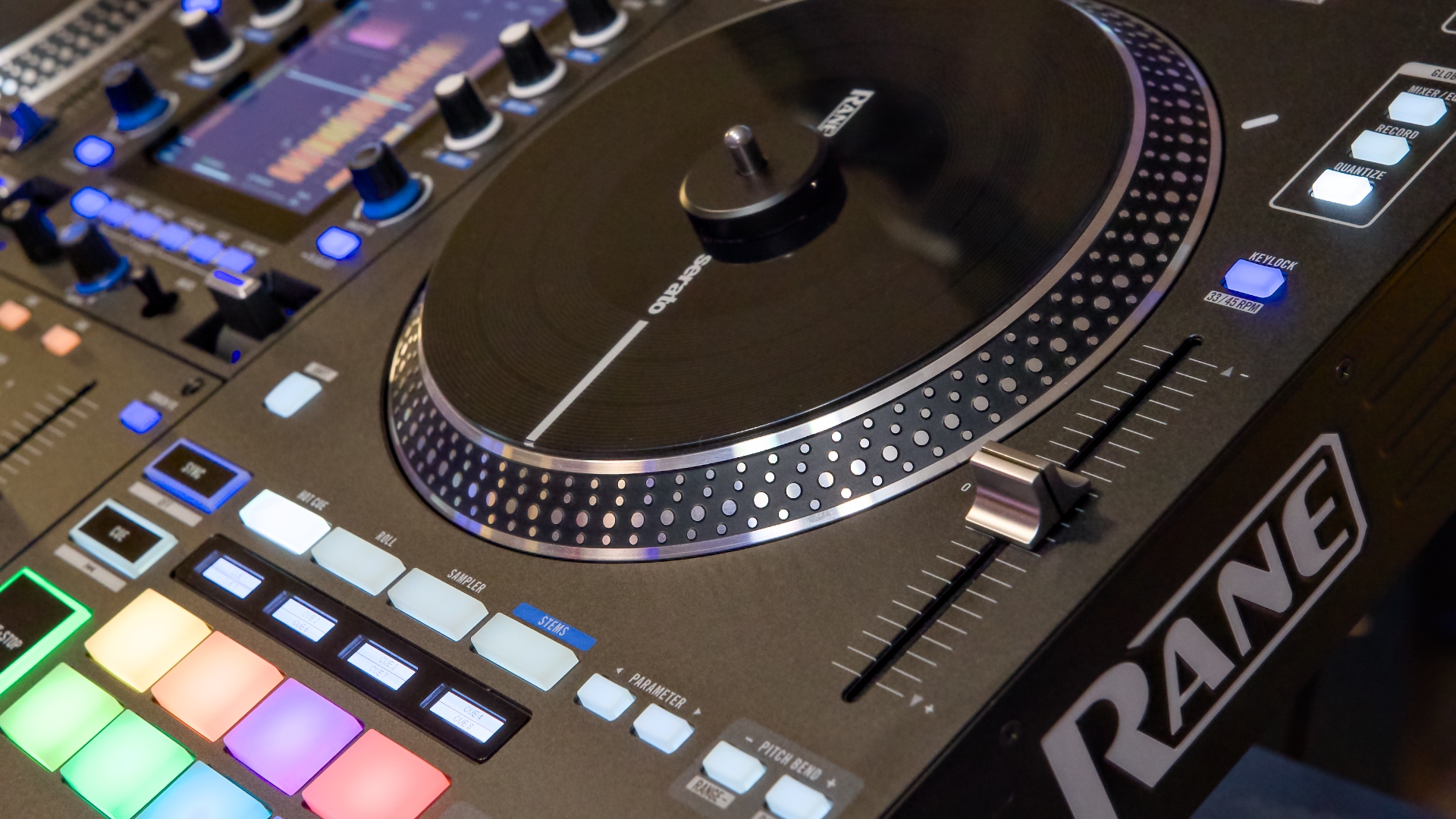
Like the RANE One series, you’ll find high-quality 7.2” platters carved out of solid chunks of aluminum. These platters spin on their own, with plenty of torque for scratch DJs to get down.
Speaking of torque, there’s no external setting for this. But inside the screen you can adjust it to either low or high.
I’ve always preferred RANE’s approach to designing these wheels vs. other motorized options on the market. They attach by aligning pegs on the platters to holes on the unit itself, and the center spindle rotates independently.
You can add a slipmat (included), and then place the “record” on top. There’s a center lock which connects the top platter to the spindle.
All of this works together to feel a lot like spinning 45s, without any fear of skipping.
Vertical Touchscreen
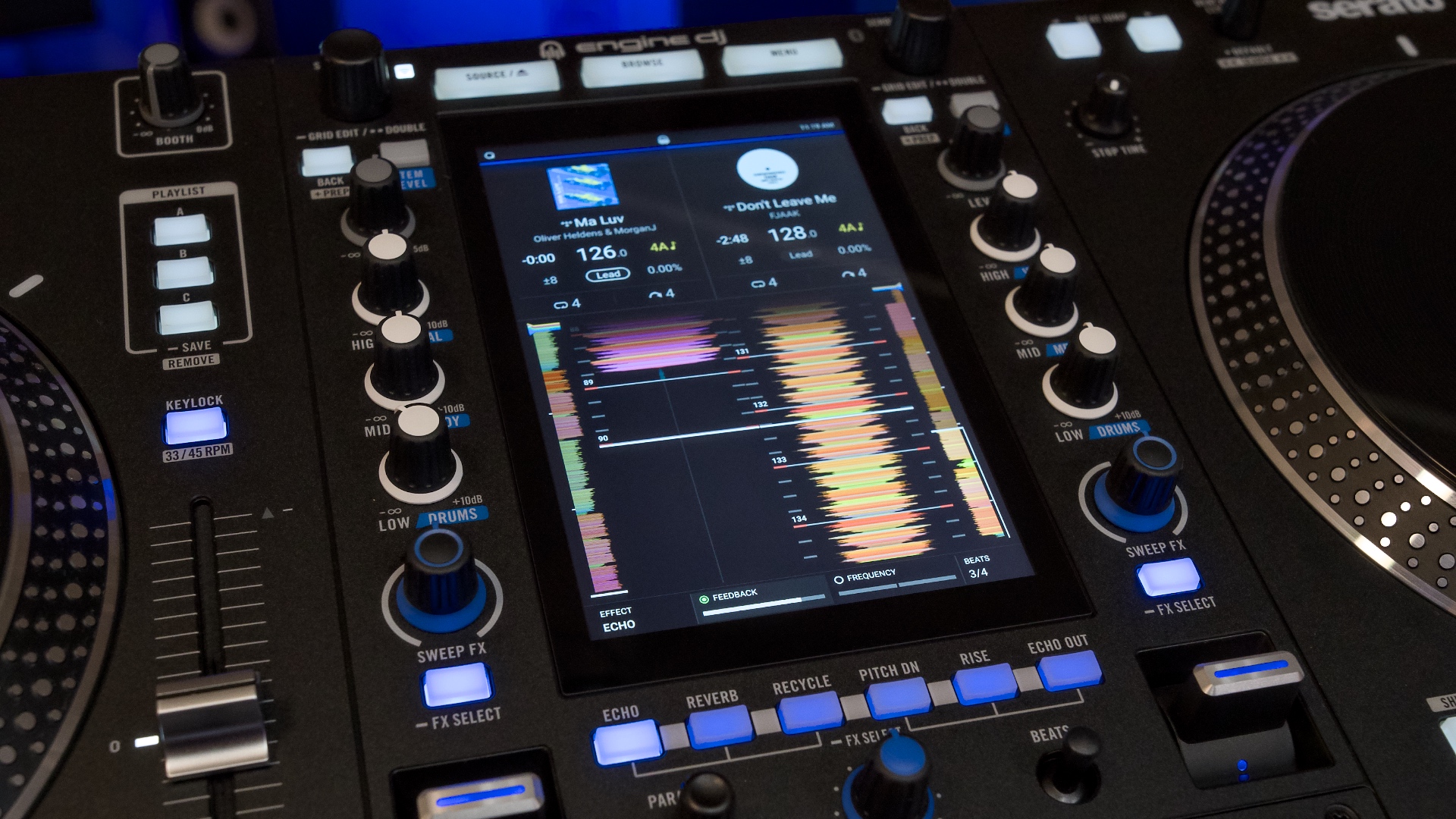
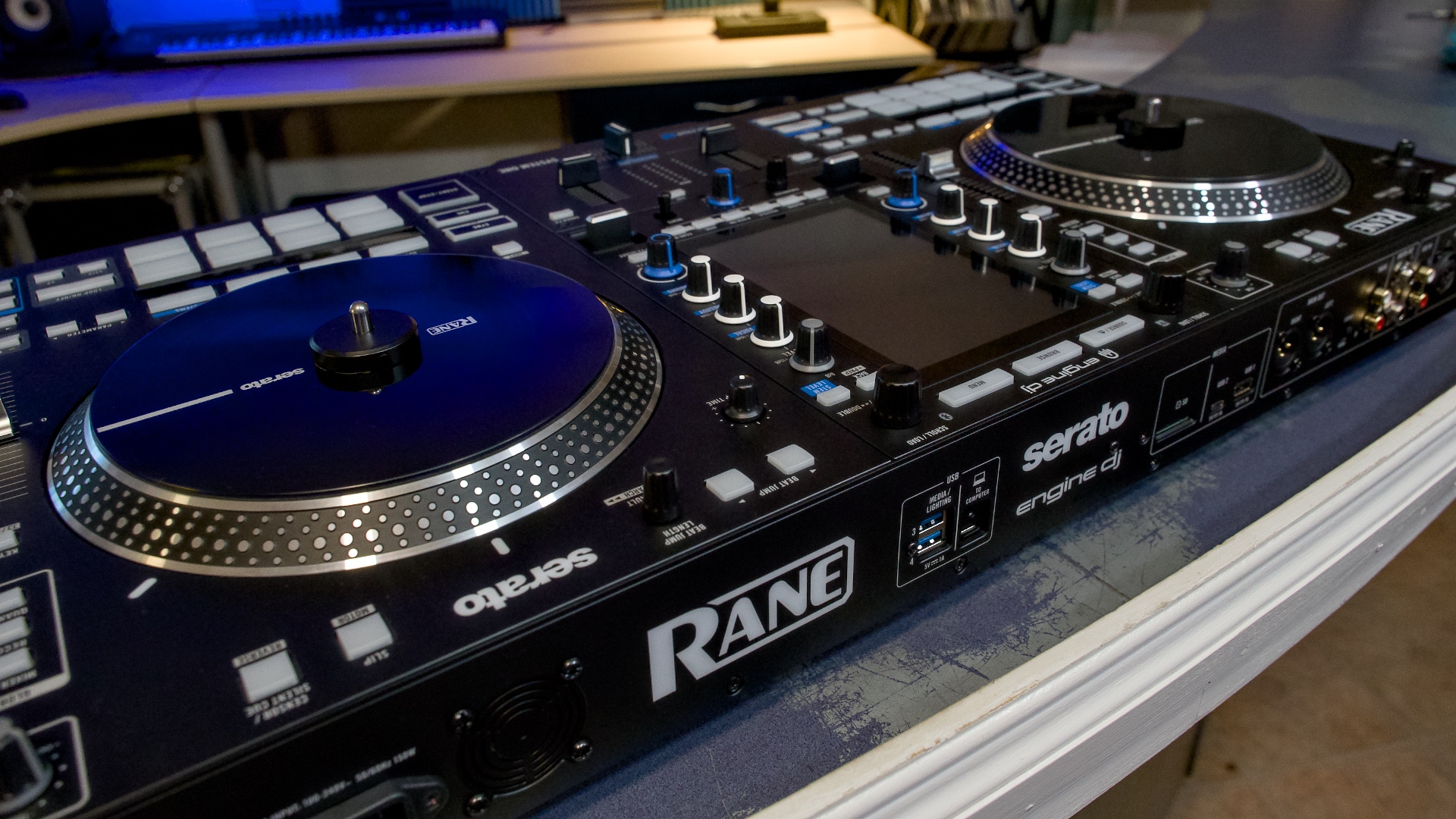
The most obvious difference between this and a RANE One is the addition of a high resolution 7” screen. It makes it feel like there’s a RANE Seventy-Two mixer in the middle.
This screen will display waveforms horizontally or vertically, but it enables so much more than that. You can browse tracks, monitor deck status, play with FX or even control lighting systems right on the unit itself.
Interestingly, RGB waveforms are supported. Engine OS standalone devices in the past have only supported the green-and-white Tri-Band waveforms, but this looks much more like what you’d expect out of a Serato device.
This is the first time we’ve seen a vertically-oriented screen in an Engine OS device, and it suits the layout well. Using the UI wasn’t meaningfully different – everything looks mostly the same, except that it defaults to vertical waveforms.
That said, some tasks are slightly more difficult. For example, keyboard search feels a bit cramped – but it can be done.
Faders
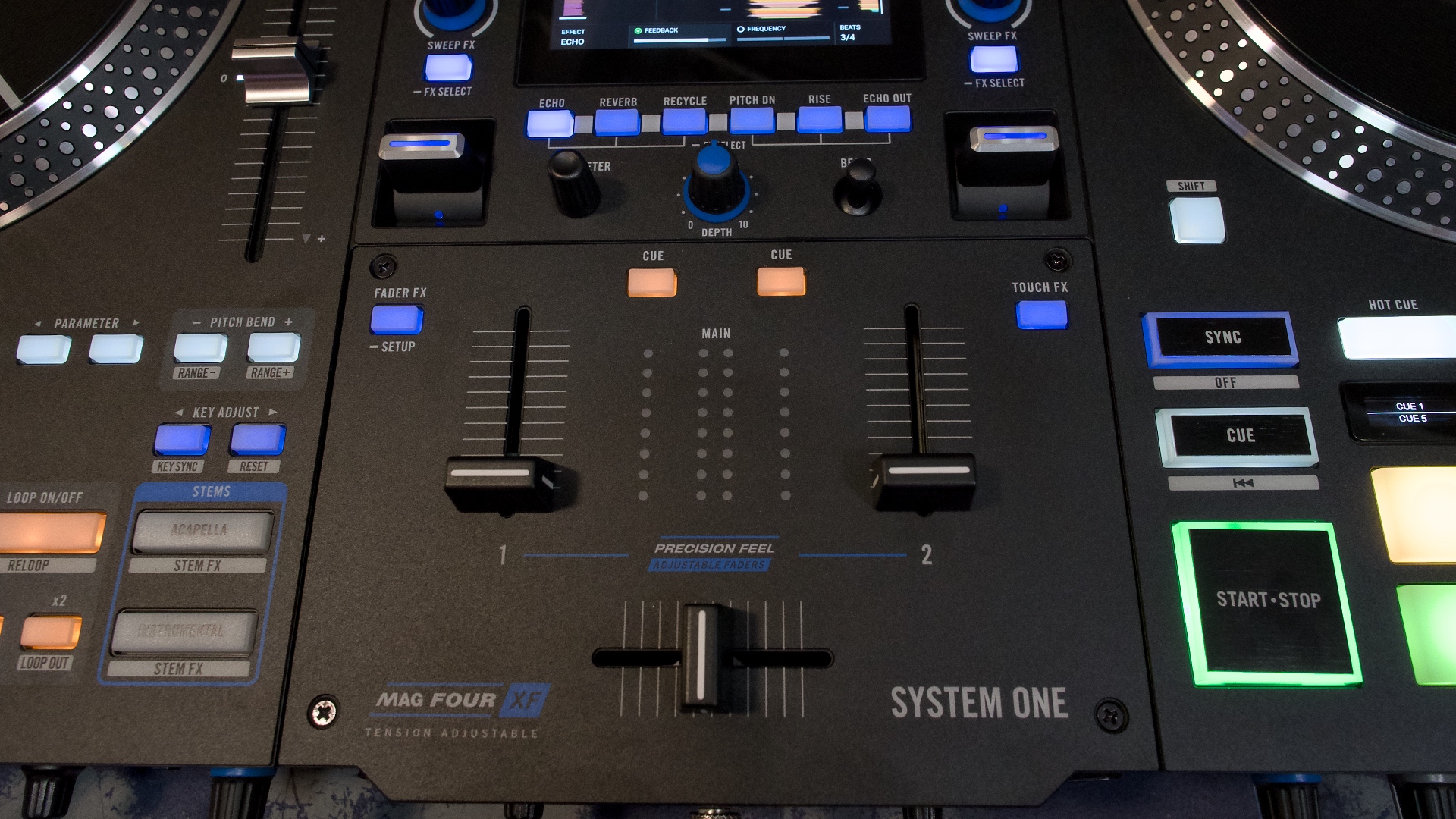
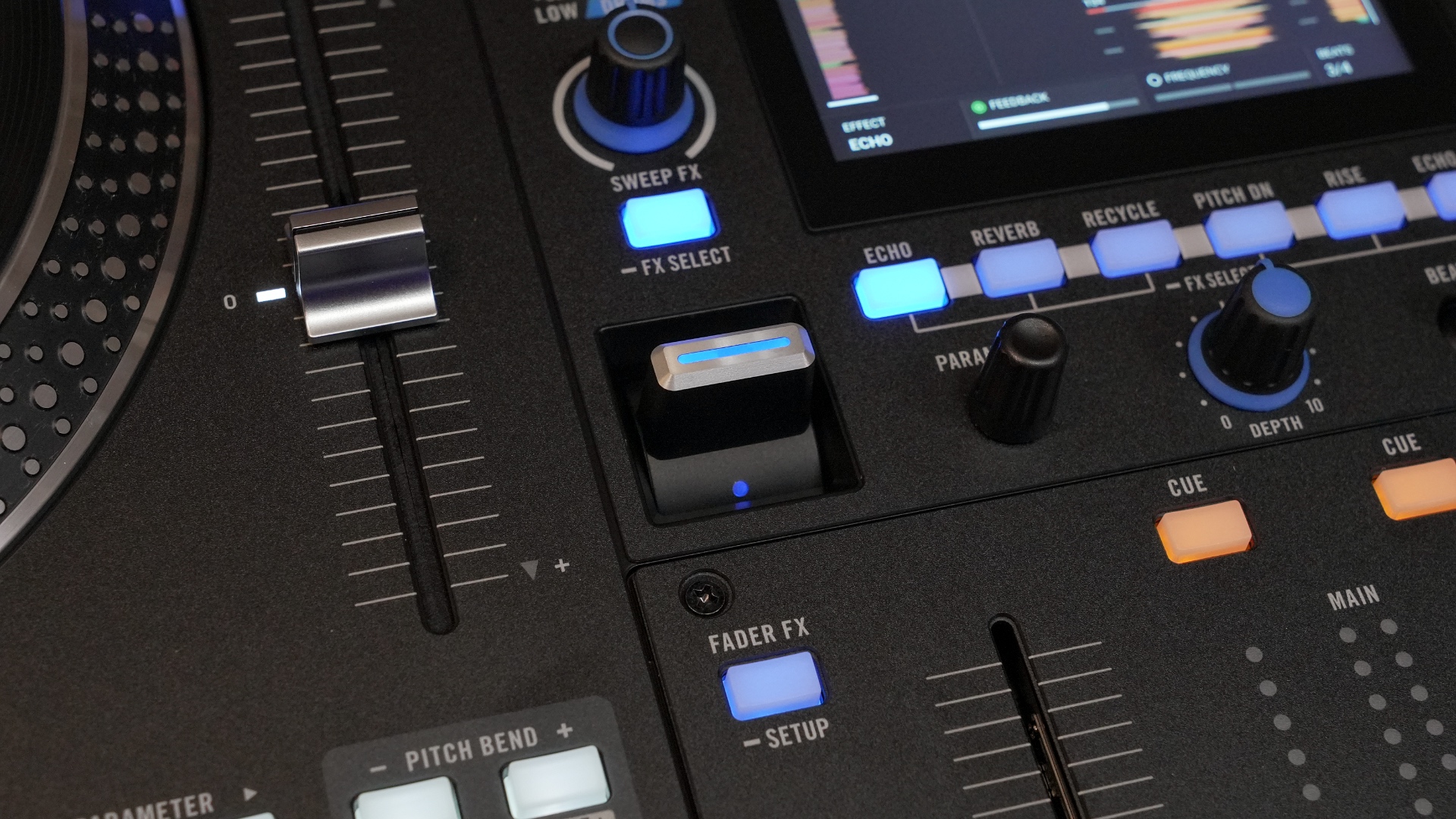
RANE has included their best faders in the System One. The PRECISION-FEEL upfaders have adjustable contour, and are reversible. They are even tension-adjustable, though you have to bust out a screwdriver to do this.
The MAG FOUR crossfader has already proven itself in the market, and enables you to have sharp cuts for tight scratching. Like the upfaders, the crossfader has adjustable contour and is reversible. Conveniently, you can adjust the tension using a knob on the front of the device.
Interestingly, both scratch DJs in the room with me commented on how loose the Mag Four was. At some point, they both said “it keeps bouncing back at me!” If this keeps happening to you, you might turn up the tension a few degrees until you get used to it.
See scratch demos of the RANE System One in the video above.
Playlist Banks (and other buttons)
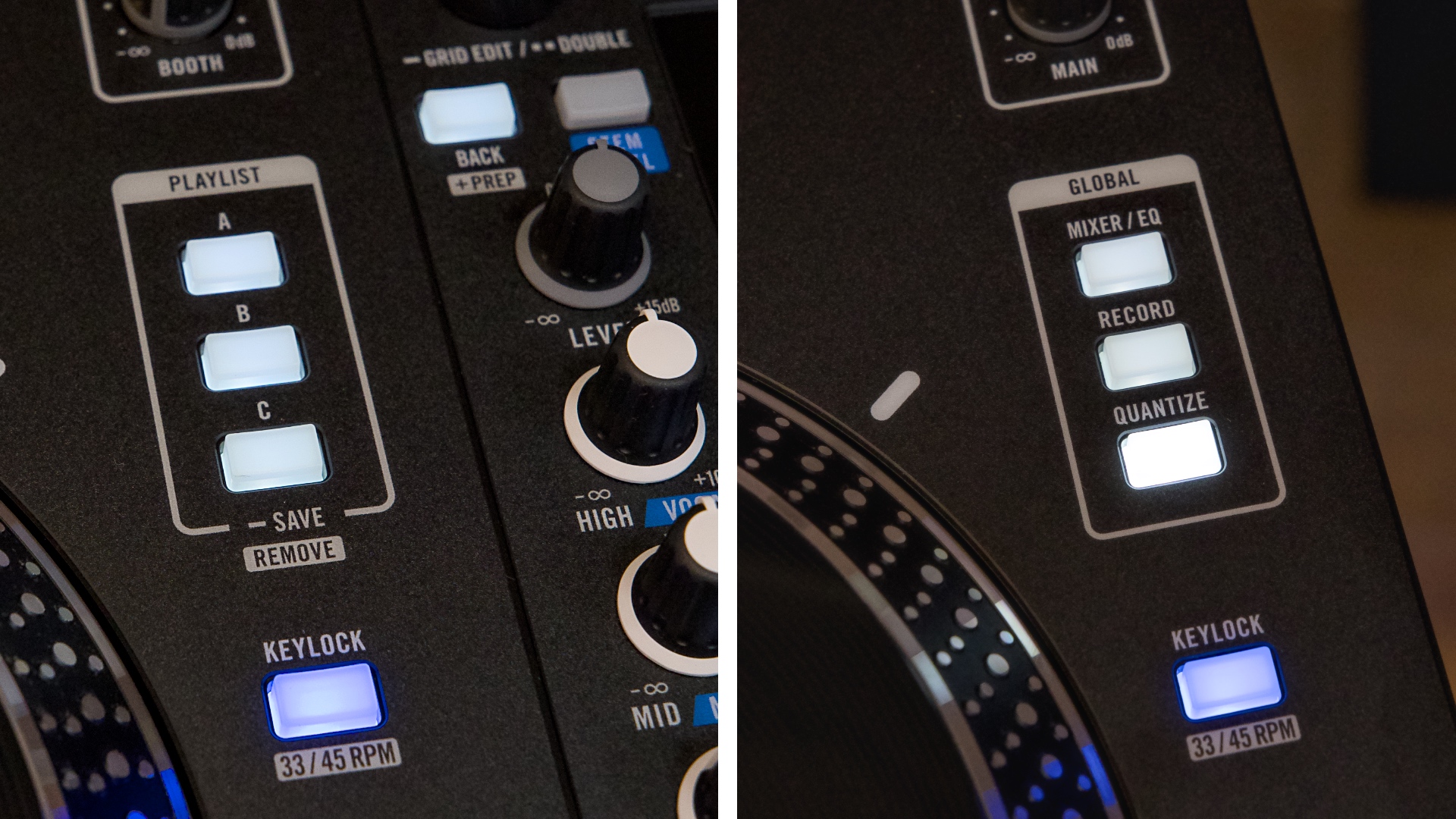
A new set of three buttons aside the top of the left jog wheel give access to your favorite playlists or crates.
Right from the device, you can save and instantly access your favorite tracklists – regardless of if they’re locally-sourced, on a streaming service, or hiding in your laptop.
When I saw these buttons, ideas of how to improve workflow immediately started springing to mind. For example, having a playlist full of scratch samples accessible at a moment’s notice, without having to browse for them.
While recording the scratch demo, I assigned a playlist full of scratch samples to Playlist A, then all of our YouTube-approved beats in Playlist B, and it worked out perfectly. We always knew how to quickly grab a new sample and move on to the next song.
You can program these buttons on the device itself. Save playlists with a long-press, or remove them using the Shift button.
In the same spot on the right side, you’ll find a selection of Global buttons. Here, you can easily record your mix or toggle the Quantize function.
The Mixer/EQ button gives access to your Mixer settings, and happens to be where you toggle whether a music source is coming from Engine or from Computer. This is presumably how you use the OmniSource feature (where you can use both at the same time). This wasn’t available at the time of this review.
Performance Pads
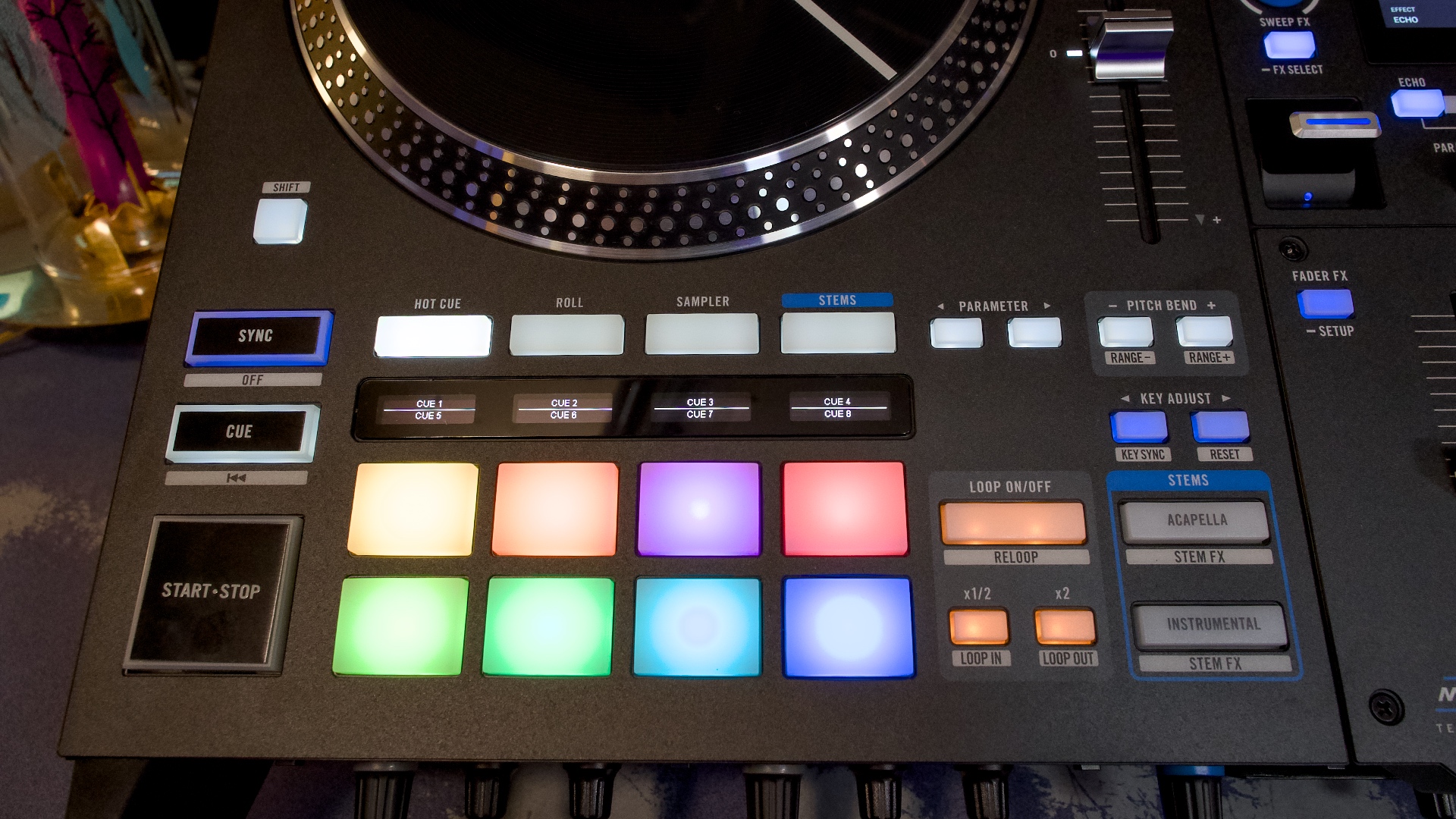
Each deck sports 8 performance pads, with RGB backlighting that indicate the active pad mode (with custom colors for Hot Cues and Loops).
Above the pads, you’ll find tiny OLED screens that give information about the pad mode you’re in. For example, you can see Hot Cue and Sample names listed right on the device, or see which Stem element you’re accessing.
This pad/screen combination has shown up on several RANE devices. It proves to be a convenient way to keep track of what’s happening without confusion.
The pads feel fine. There’s a bit of give, and they toggle with a noticeable “click” feeling, rather than the dull thud of normal drum pads. This makes sense, as pads that will be most often used to trigger hot cues.
Stems
You can’t release a device like this in 2026 without Stems control (the ability to add/remove individual song elements, like vocals or drums).
RANE’s approach to Stems is my favorite on the market. Instrumental and Acapella buttons beside each deck make it easy to drop (or isolate) vocals without having to think about it.
If you want more control than that, there are other ways: a stems pad mode allows you to use the beat pads to add/remove Vocal, Melody, Bass and Drums. Or you can switch the EQ knobs to Stems mode, allowing you to fine tune the levels of Vocal, Melody, and Drums.
Yes, Stems works in standalone mode, using Engine OS. These stems will need to be pre-rendered. You can do this in the Engine desktop software when preparing your tracks, but you can also render them on the System One itself (coming “early 2026”).
On my M1 Macbook, it takes me about 15 seconds to render stems for a 3 minute song. Time will tell how that will compare to the device itself.
Overall, I’d describe the Stems performance as decent. As part of a mix (especially when cutting and scratching things up), they hold up. A little less so when played in isolation. They could probably be compared to current Serato and rekordbox offerings.
FX
There is no shortage of FX on the RANE System One:
- 25 onboard Main FX (accessed with paddles)
- 5 Sweep FX (accessed with knobs)
- 10 Touch FX (accessed with the screen)
- 4 Fader FX (accessed with the faders)
- Software FX (accessed when using your laptop)
- Mic FX (applied to mic inputs)
Hear FX demos in the video above.
The chunky paddles feel solid and give confidence when enabling effects, with an upward motion leaving it locked in place. (It would have been nice to see die-cast aluminum levers here, though.)
Touch FX are there to take full advantage of the onboard screen. Activate it with a button, and suddenly your screen turns into an X/Y pad. Select one of 10 FX to apply, and touch or swipe on the screen to modify it.
The Mic FX allow you to add EQ, Echo, and Reverb to microphones connected to either XLR combo jack on the back. Ducking and anti-feedback modes are also included, to keep your vocal inputs sounding clean.
Ports & Connections
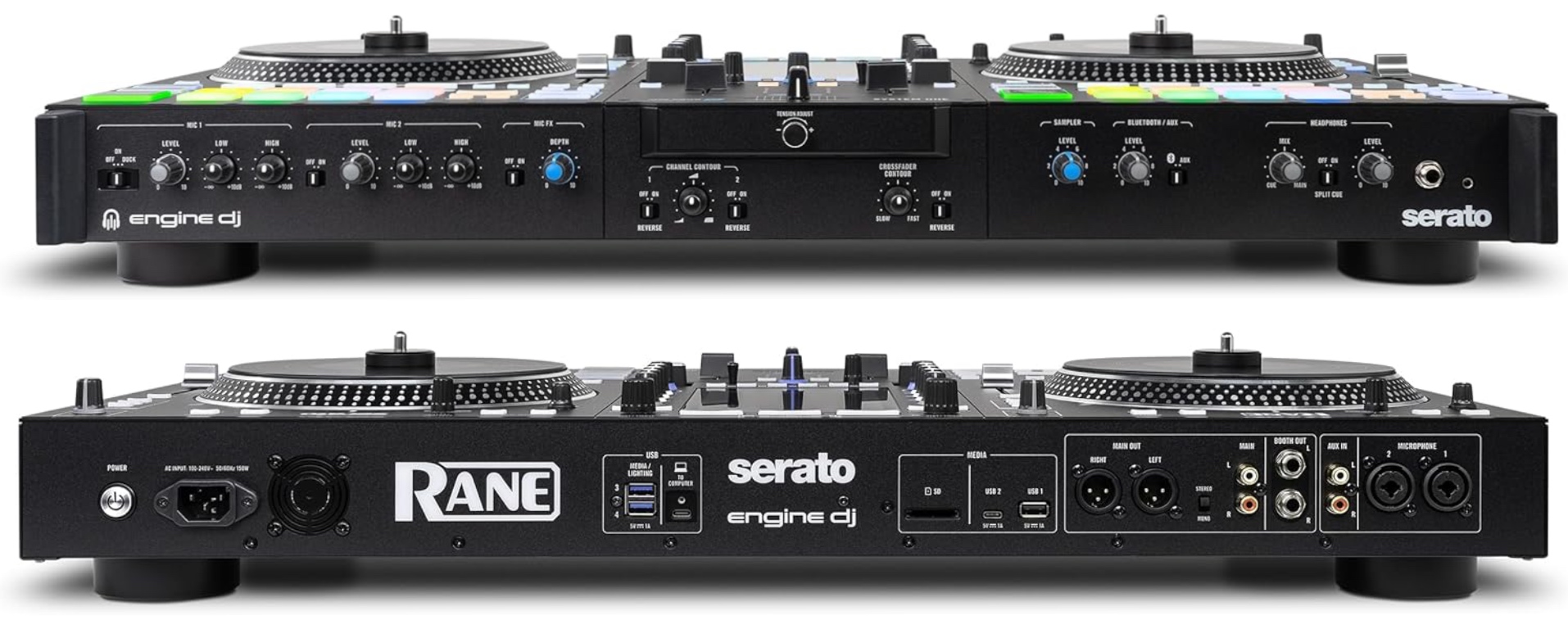
- XLR & RCA main out, stereo/mono switch
- 1/4” booth out
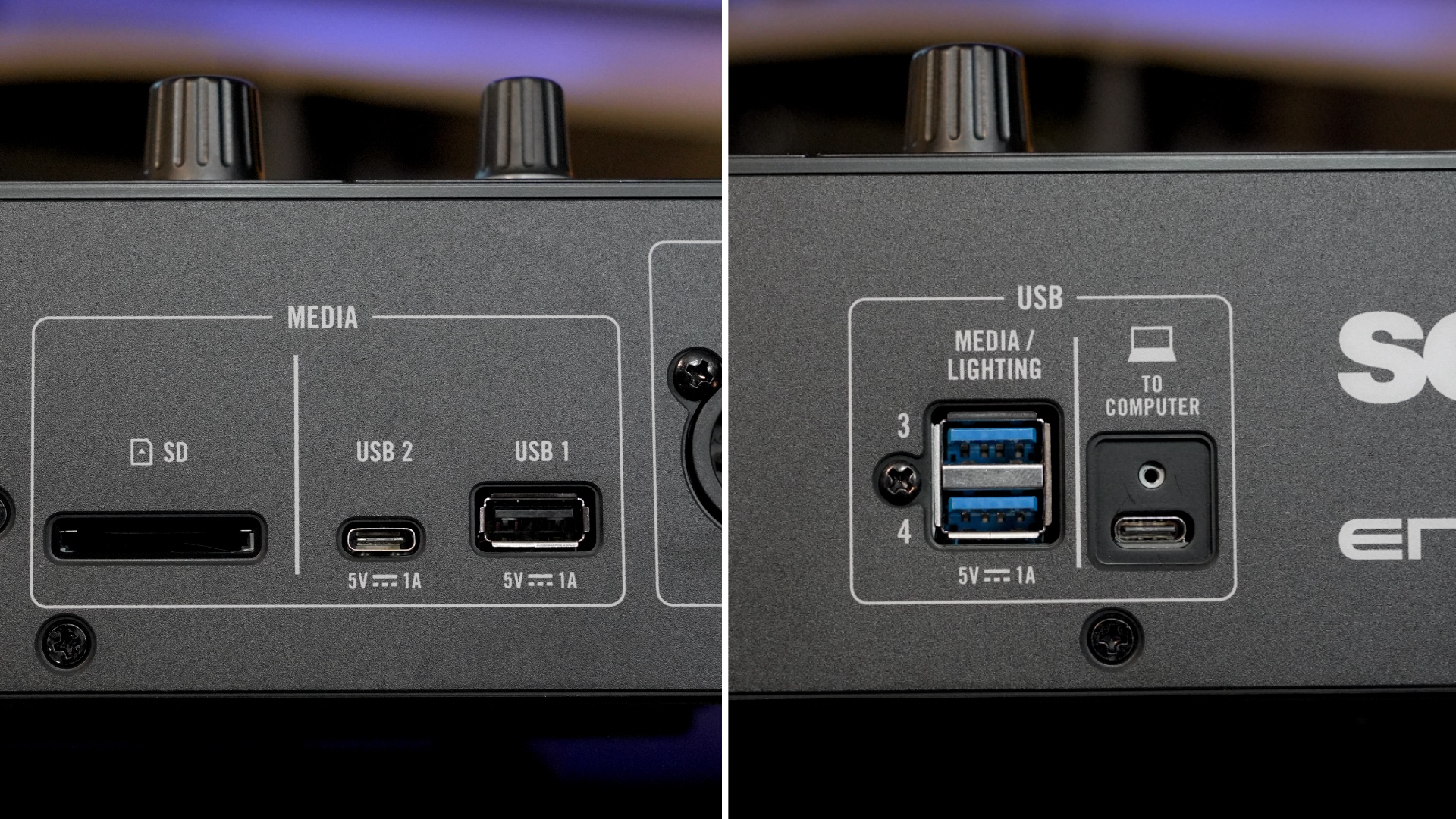
- Media USB: USB-A and C, SD Card
- Other USB: USB-C (computer) and 2x USB-A (media/lighting)
- 2x XLR combo jack mic inputs w/EQ, Echo, Reverb, Duck & Anti-Feedback
- Locking IEC power cable, fan
The USB-C port and cable meant for your laptop includes a retention screw, which ensures that it will never wiggle or wobble out. This is a wonderful idea, so long as you keep this cable pristine forever (or find a suitable replacement).
XLR outputs, independent booth control, and every desired source connection is included here. The most notable omission might be its lack of external inputs (more below).
Lighting
Being an Engine OS device, the RANE System One supports lighting control straight out of the box.
From the jump, you can wirelessly connect to any Philips Hue or Nanoleaf smart lights and have dynamic light shows at home. This is one of the lowest barriers-to-entry when it comes to lighting, and is great for content creation and house parties.
If you add a SoundSwitch micro-DMX interface (or a Control One), you can control DMX lighting fixtures like a pro. There are on-screen override controls, which gives you direct access to these lights to add your own flair.
Limitations
There are two glaring omissions from the RANE System One. The first is the fact that it’s a two-channel unit only.
If you use more than two decks, you’ll need to look elsewhere. While this is a forward-thinking device, it sticks with a rather “two turntables and a microphone” paradigm. (Okay, two microphones, to be fair.)
The second is its lack of external inputs. There is a single AUX input, but it’s not possible to connect other players (such as turntables).
If you are looking for a standalone device that supports DVS (timecode records), so that you can use turntables to manipulate your digital tracks, this ain’t the one for you.
If you want standalone and external inputs, your best bet is still the Denon DJ PRIME 4+. But it does not have motorized platters.
Instead, you might consider sticking with the RANE Performer – which does have external inputs and four channels. But isn’t standalone (and therefore requires the use of a laptop).
The System One is large, and probably heavier than it looks (just shy of 30 lbs). Regardless of its status as an “all in one” standalone DJ system – you don’t buy this device for portability.
One minor thing worth mentioning is that all USB ports are on the back. I might prefer having something more easy to access (especially when used by multiple DJs). Plus, some DJ booths (like mine) are shallow, and having USB drives sticking out like this can be hazardous.
Wrapping Up
Regardless of these small gripes, the RANE System One clearly knocks it out of the park. They stole the show at NAMM 2026, and for good reason. They’re giving DJs what they want, and delivering value for the price.
I really appreciate the redundancy of a device like this. If a port breaks, a USB drive fails, a laptop crashes mid-set, or your Wi-Fi flakes out, you almost certainly have another way to keep the party going.
However, this is contrasted by the fact that you can’t hook up turntables or digital media players to it.
Pair this with the fact that it only supports two channels, and it prevents the System One from being the complete all-around perfect solution that some might prefer it to be.
That said, the DJ market has proven that they love standalones. And hip-hop/open format DJs who love the feel of spinning turntables have been left out of the party. Until now.
And, dare I say, the pricing here actually seems fairly reasonable?
Yes, all DJ hardware has gotten kinda expensive. But consider that you don’t need to buy or maintain a laptop, it’s an all-in-one motorized solution, it has top-tier components, is built like a tank, and will undoubtedly get cool feature updates in the future (as is the case with all previous Engine-powered hardware).
Alternatives
It’s at a similar price bracket to the Denon DJ PRIME 4+, which you should consider if external inputs and 4-channels are more important to you than motorization.
If the spinning platters are your top priority, you can always stay tethered to your laptop with a RANE One MK2 or Performer. This depends on how many channels you need, and whether you want external inputs.
If the only thing you care about is a standalone, in-the-box experience (and you’ve decided spinny-platters aren’t relevant to you), the SC Live 4+ is still a great option. It costs half of what the System One does, and even includes onboard speakers.
But if what you’ve been looking for is this specific combo – a standalone with motorized platters – this is the only device that delivers. For now.
Get your RANE System One here!